Everything you want to know about Maedah
Can't find your answer? Write to support@maedah.app or use Settings → Support in the app.
General
What is Maedah?
Maedah is Saudi Arabia's heavy-equipment marketplace: equipment for sale and rent in one place, with photos, prices and the supplier, across the Kingdom. Customers browse, compare and contact the supplier directly — or post a request that reaches the matching suppliers, whose offers come back. Suppliers list their machines for sale or rent and receive requests as work opportunities.
Is Maedah free?
Yes for customers: browsing, posting requests, receiving quotes and chatting with suppliers are all free. Suppliers start on the free Basic plan and can move up to Pro or Business for earlier requests and higher placement.
What equipment is on Maedah?
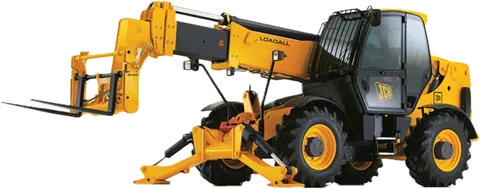
Lifting (cranes, boom trucks, forklifts, telehandlers, scissor lifts, man lifts), power (generators and tower lights), earthmoving (loaders, bulldozers, Bobcats, JCB) and transport (trailers and lowbeds, flatbeds, Dyna trucks, dump trucks) — for rent or sale.
Which cities does Maedah cover?
Every city in the Kingdom. Your request reaches the suppliers serving your city — Riyadh, Jeddah, Dammam or anywhere else — and each supplier sets the cities they cover.
How do I request equipment?
Open the app, tap New request, and choose the machine (or several for a project), the city and site, the dates and any requirement such as a driver, a TÜV certificate or Aramco approval. The request goes straight to the matching suppliers.
Do I need to download the app?
The app is on iOS and Android, and you can also use it right in your browser without installing anything. Every page of this website opens the same screen in the app in one tap.
How does payment work?
You agree the price and payment terms with the supplier directly. Maedah adds no fee to your request or to the quotes you receive.
Which languages does the app speak?
Arabic, English, Urdu, Bengali, Tagalog and Hindi — because whoever orders or operates the machine on site has to understand the app.
For customers
How many quotes will I get?
It depends on the machine and the city. Every supplier offering that category in your city sees your request; the app shows how many suppliers it reached, and the quotes arrive one by one, each with a notification.
How do I know which quote is best?
The request page sets the quotes side by side and marks the Best value: the cheapest open quote that covers every item you asked for — a cheaper quote that covers only part of it never wins. Response time and the supplier's rating sit next to it.
Do suppliers see each other's prices?
No. Every quote is sealed: only you and the supplier who sent it can see it, so each supplier gives their best price.
Can I ask for several machines in one request?
Yes. A project request holds several machines (items), and suppliers can price item by item or cover part of the list.
What if I need the machine urgently?
Switch on Urgent when you create the request so suppliers see it first, and follow the quotes as they come in.
Can I browse without signing up?
Yes, you can browse machines and prices as a guest. You only sign in — with your e-mail and a code — to post a request or message a supplier.
What happens after I accept a quote?
The quote becomes a booking you follow on the Bookings page, and the other quotes close automatically. When the job is done you can rate the supplier so others benefit from your experience.
For suppliers
How do I start as a supplier?
Sign up with your e-mail and choose Supplier, then set your business type, the categories you offer and the cities you serve, and add your CR and VAT numbers if you have them. Matching requests start reaching you right away.
How do requests reach me?
Every new request that matches your categories and cities arrives as an opportunity on the Opportunities page, with a notification. You see the machines, dates, site and requirements, and quote in under a minute.
When do I see a new request?
Business subscribers see it the moment it is posted, Pro 20 minutes later, and Basic after 30 minutes — so upgrading means reaching the customer first.
How many quotes can I send?
10 a month on Basic, 50 on Pro, and unlimited on Business.
How do I list my machines?
Add a listing per machine with photos, specs, certificates and a daily, weekly or monthly rate, or a sale price. Basic includes 3 listings, Pro 15 and Business unlimited.
What are supplier badges?
Badges you earn by performance, shown to customers next to your name: Verified after we review your details, Fast responder and On time — the things that get a quote chosen.
Can my team work on my account?
Yes. Invite account managers who act for your business: one with Pro and unlimited with Business. Spending stays with the owner until they grant it.
How do I promote my listings?
Three ways: tap Promote in My listings and the machine shows labelled Featured at the top of search, categories and Home for 3, 7, 14 or 30 days — your first 7 days are free. On Pro and Business: a campaign where you choose the ads, cities and places (the Home banner included), or automatic bidding that shows your ads to everyone searching for them and charges per open.
Plans and credits
Do customers pay anything?
No. Posting requests, receiving quotes and chatting are always free for customers.
How do I subscribe to Pro or Business?
In the app: Profile → Plan & billing. It is a monthly subscription that renews automatically through the App Store or Google Play, and you can cancel any time in your store's subscription settings.
What is the launch offer?
Pro free for 90 days for the first 100 verified suppliers — no card, no auto-renewal. It shows on the Plan page when your account qualifies.
How much does a boost cost?
Boosts use credits: 29 credits for 3 days, 59 for 7 days, 99 for 14 days and 179 for 30 days. Each riyal buys 3 credits, and your first 7-day boost is free.
How does automatic bidding work?
You set a daily budget and the most you will pay per open. When a customer searches or browses machines that match your ad in their city, your ad is ranked by your bid and its quality, and you pay only when a signed-in customer opens it — just enough to beat the next ad, never more than your top price or the day’s budget. Pause or change it any time.
Are credits part of a plan?
No. Credits are separate from plans, topped up from the Ads page in the app, used for boosts and campaigns, and never expire.
What happens if I cancel?
Your plan’s features stay until the end of the paid period, then the account returns to Basic with your listings and history — if you have more than 3 listings they stay up, and you add new ones once you are under 3.
Looking for equipment?
A crane for a week or a whole fleet, to buy or to rent: browse what's listed, compare prices and contact the supplier directly. Can't find it? Post a request and the offer comes to you.