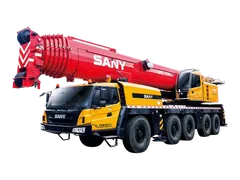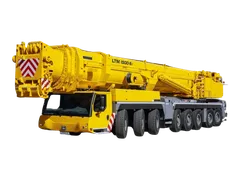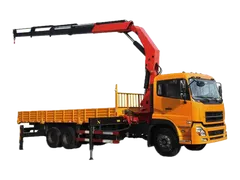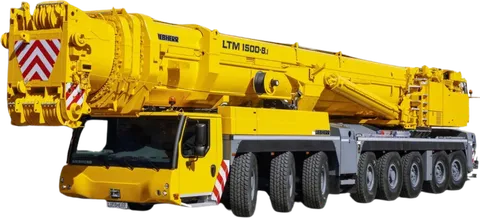
Someone has handed you a load chart, or a quote that says "100-tonne crane", and you must say whether it can make your lift. This guide is for site engineers, supervisors and procurement staff who are not crane operators. It follows the order the lifting team uses, shows which weights to deduct, and ends with one worked example.
What is a load chart, and why is tonnage not enough?
A load chart is a table, kept with the crane (usually in the cab), that lists the most the crane may lift in each position. A "100-tonne crane" can lift 100 tonnes only in its best position: load close to the crane, boom short and upright. Move the load further out and the allowed weight falls, sometimes to a small fraction of the headline figure.
So a quote that gives only a tonnage tells you almost nothing about your lift. The question is always: what does this crane's chart allow at my radius, with my boom length and set-up?
What do radius, boom length and boom angle mean?
Three terms appear in every chart.
- Load radius: the horizontal distance from the crane's centre of rotation to the centre of the load. It is not the boom length. A long boom raised steeply can have a short radius.
- Boom length: the length of the main boom in use. Charts have a separate column or row for each boom length.
- Boom angle: the angle of the boom above horizontal. A more upright boom means a smaller radius and a higher capacity.
Radius is the number that matters most. Capacity falls as radius grows, because the further the load hangs from the centre, the more it tends to tip the crane over. Boom deflection under load can also increase the real radius, so the lifting team allows for it.
How do you read a crane load chart, step by step?
- Confirm the chart belongs to this crane, with its model and the set-up you will use (see the next sections).
- Measure the radius you need: from the centre of rotation to the centre of the load, at the pick point and again at the set-down point. Use the larger one.
- Find the column or row for the boom length you will use.
- Find your radius. If it is not listed, take the next larger radius. Do not average two values.
- Read the capacity shown. This is the chart figure.
- Subtract everything that hangs below the boom tip (next section).
- Compare the result with the weight of the load. Ask the lifting contractor whether the project applies a margin on top of the chart.
Tip. Round the radius up, which gives the lower capacity. When in doubt, use the less favourable figure.
Watch out. This guide helps you ask the right questions. It does not replace the lift plan, or the decision of the crane supplier's qualified lifting team. Never skip the lift plan, the manufacturer's chart or the required inspections and certificates.
What do you deduct from the chart figure?
Everything the crane carries counts as load, not only the object you are lifting:
- Slings, shackles and other rigging.
- A spreader beam or lifting frame.
- Any other lifting device attached to the hook.
- The hook block or hook ball, unless the chart notes say it is already deducted.
Charts differ here. Some give a gross capacity from which you subtract the hook block and all rigging. Others have already deducted the hook block. The notes printed on the chart say which, so read them before you subtract anything. The worked example below uses a gross chart.
The weight of extensions such as a jib, or of a stowed jib on the boom, can also reduce the usable capacity. Rigging has its own limits too. See rigging basics: slings, shackles and working load limits for how to check that side of the lift.
Which conditions change the chart?
A chart applies to one configuration only. If any item below changes, you need a different chart or a different line of the same chart:
| Condition | What to confirm |
|---|---|
| Outriggers | Fully extended, or a stated partial setting. Partial extension has its own figures. |
| Counterweight | Which counterweight is fitted to the crane today. |
| Boom and jib | The boom length in use, and whether a jib or extension is fitted. |
| Working area | Over the rear, over the side, or 360 degrees. Capacity is often lower over the side. |
Three more limits sit outside the table:
- Wind. Wind reduces what a crane can safely lift, especially for large, flat loads. The manufacturer sets wind limits, and the lift plan should say what applies on site. The crane lift plan checklist shows where the stop-work wind limit belongs.
- Ground. Ratings assume the crane stands on firm, level ground. A chart cannot make up for soft or sloping ground, so ask how the ground will be checked and what the outriggers will stand on, for example mats.
- Crane display. The crane's load-moment indicator only protects the lift if the operator sets it to the real configuration. It does not replace the chart or the lift plan.
Worked example: can this crane make this lift?
This example uses invented numbers for teaching only. They are not from any real crane's chart.
Say a supplier offers a mobile crane. This gross chart, for the boom length we will use, fully extended outriggers and a 360-degree working area, shows:
| Radius | Capacity (example) |
|---|---|
| 16 m | 16.0 t |
| 20 m | 11.0 t |
The load weighs 12 t. It must be picked at 18 m radius. Rigging and hook block:
| Item | Weight (example) |
|---|---|
| Load | 12.0 t |
| Slings and shackles | 1.0 t |
| Hook block | 0.5 t |
| Total to lift | 13.5 t |
18 m is not on the chart. A guess halfway between 16.0 t and 11.0 t gives 13.5 t, which looks like a pass with nothing to spare. The correct reading uses the next larger radius, 20 m, so the chart figure is 11.0 t.
13.5 t is more than 11.0 t, so this lift fails, even before any margin the project adds on top of the chart. The options are to bring the crane closer (a radius of 16 m allows 16.0 t), to choose a bigger crane, or to split the lift. To choose the size, see how to choose crane capacity.
Common mistakes when reading a load chart
- Using the boom length as the radius. Fix: measure from the centre of rotation to the load centre.
- Guessing a value between two radii. Fix: use the next larger radius.
- Forgetting the hook block and rigging. Fix: add the rigging, and the hook block unless the chart has deducted it, to the load weight before comparing.
- Checking only the pick point. Fix: check the set-down radius too.
- Reading the wrong set-up. Fix: match outriggers, counterweight, boom and working area to the chart row.
- Using a brochure chart or a similar model. Fix: ask for the chart of the specific crane that will arrive.
- Ignoring wind and ground. Fix: agree the wind limit and ground support in the lift plan.
How to do this on Maedah
Describe the lift in your request: the heaviest load, the radius, the height, the city, the site on the map and the dates. Say whether you need an operator, and mark Urgent if it applies. Pick the machine from the cranes category, or look at crawler cranes and boom trucks for other lifts.
When quotes come back side by side, ask each supplier in chat for the chart of the exact crane offered, and check your lift against it. Agree the margin and price with the supplier. For the other hiring steps, see how to rent a mobile crane in Saudi Arabia.