This is for suppliers who know their machine well but are filling in a listing form. The customer cannot walk around it first, so the page must answer what they would ask on site. It sets out what to include in equipment listing specs, the key numbers by machine type, and the papers to keep ready.
Why do buyers need full specs before they call?
A customer choosing between machines compares only what the page shows. With no capacity, year or meter reading, your machine cannot be placed beside another one, and another listing may get the call instead.
Missing facts also bring avoidable calls: "What is the capacity?" and "Is the certificate valid?" A complete listing means the people who contact you have seen the numbers and still want the machine. For other ways to turn views into enquiries, see how to get rental enquiries as an equipment owner.
The same machine, listed two ways (an example):
| Vague | Specific |
|---|---|
| "Forklift 3 ton, good condition" | "Diesel forklift, rated 3,000 kg at 500 mm load centre, mast lifts to 4.5 m, 6,420 hours read on 9 October 2026" |
Which details belong on every listing?
Every machine, whatever its type, needs these fields:
- Make and model. Write them as they appear on the plate.
- Year of manufacture. Not the year you bought it.
- Category. Choose the closest one, so the right customers find it.
- City where the machine is based. Customers think about transport time.
- Rental or sale. If it is both, say so.
- Hours or kilometres. The number on the meter at the time of listing, with the date you read it.
Update the meter reading when the machine comes back from a hire. A customer will doubt an old meter reading on a machine that has worked since.
Tip. Photograph the meter on the day you read it. It is the simplest proof of the number you wrote.
Which specs matter most for each machine type?
After the basic fields, each machine type has a few numbers that decide whether it fits the job. Take them from the data plate or the manufacturer's manual. Do not write them from memory or from a similar model.
| Machine | State these | The common mistake |
|---|---|---|
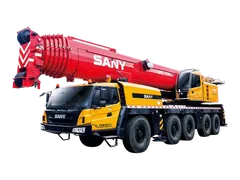
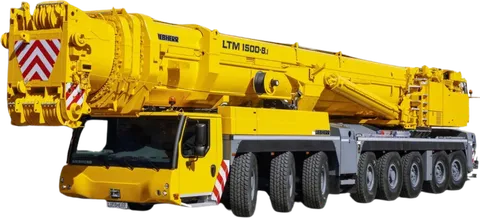
| Crane | Maximum rated capacity, boom length, and a note that capacity depends on boom length, radius and set-up | Quoting only the maximum figure, which applies only at the shortest radius |
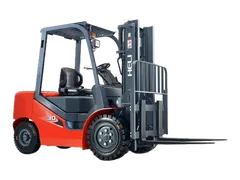
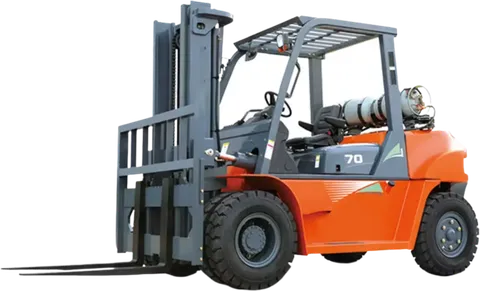
| Forklift | Rated capacity and the load centre it is stated at, mast type and maximum lift height | Giving capacity without the load centre |
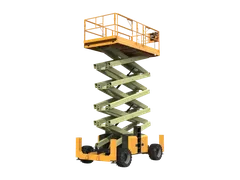
| Scissor lift | Platform height, working height, platform capacity, electric or diesel, rough-terrain or slab-only | Mixing up platform height and working height |
Cranes. The rated capacity is not one number. It depends on boom length and radius, and the load chart gives it. The chart also depends on the set-up, such as outrigger extension and counterweight, so attach or describe the chart for your machine and say which set-up it covers. Let customers read it themselves. If they need help, send them to how to read a crane load chart.
Forklifts. Capacity is stated at a load centre, commonly 500 mm. If the load's centre of gravity is further out, if the mast is raised high, or if an attachment is fitted, the safe capacity falls. The data plate shows the figure for the machine as fitted. State the load centre and the lift height so the customer can check their own load. The full reasoning is in forklift capacity and load centre explained.
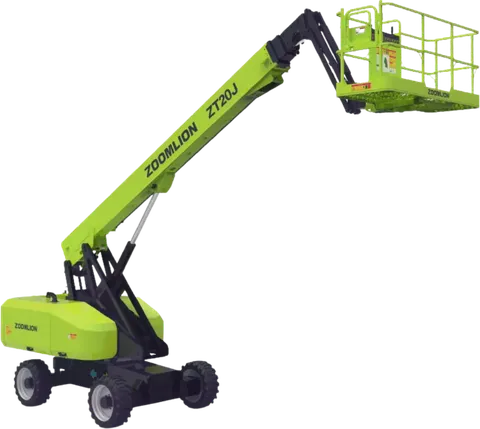
Scissor lifts. Platform height is how high the floor of the platform goes. Working height is higher, because a person standing on the platform can reach above it. Customers often search by working height, so give both. Add the platform capacity, whether the machine is electric or diesel, and whether it is rough-terrain or suited only to a flat slab. How to choose a scissor lift explains the figures.
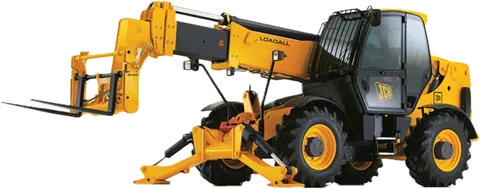
Boom and man lifts. Add the horizontal outreach, because many jobs need sideways reach, not only height.
Generators. State the rating in kVA and kW, whether it is prime or standby rated, the phase, voltage and frequency (50 or 60 Hz), and whether it is open or in a silent canopy. Prime rating is for continuous use at a variable load; standby is for emergency back-up and short running hours. Never leave the rating type out; see prime, standby and continuous generator ratings.
Other machines. For anything else, copy the headline figures from the manufacturer's spec sheet, for example operating weight and bucket size for an excavator.
Which documents should be ready, and what do customers check on them?
Customers commonly ask for the papers below. Have them ready before you list, and confirm the details in the right-hand column.
| Document | When it is asked for | What the customer checks |
|---|---|---|
| Ownership or registration | Rental and sale: proof of ownership; road-going machines and trailers: registration | Matches the machine and the seller |
| Inspection certificate | Often asked for on hired and sold machines; for lifting equipment, the certificate from the inspector or inspection body | Serial number, and the expiry date |
| Operator certificates | When you supply the operator | That they are current and fit the machine type |
| Insurance details | Hire, and work on client sites | Who is covered, for what, and until when |
| Maintenance record | Used machines, long hires | Dates of services and repairs against the hours |
Two rules apply to every certificate. It must name the machine, with the serial number or other unique identification, and it must be in date. A certificate that belongs to another machine tells the customer nothing about yours.
List the expiry date on the listing. If a renewal is booked, say so in the description and publish the new certificate when you have it. For what the certificates should show, see lifting equipment inspection certificates: what to check.
Note. Requirements differ by project, site owner, municipality and insurer. Your listing states what the machine has. The customer confirms that it matches their site requirements.
How should you describe condition, hours and attachments honestly?
Say what is true and specific. "Good condition" means different things to different people. Better: "Last serviced at 6,200 hours, new tyres fitted, small dent on the left panel."
Mention known faults and repairs. A customer who finds a problem on delivery will not trust the rest of your listing.
For hours, give the meter reading. A mobile crane may have two hour meters, one for the carrier and one for the crane engine. State both. If a meter was replaced or does not work, write that, so the customer does not fill the gap with the worst guess.
List everything that comes with the machine, for example:
- Bucket sizes, or a breaker, on an excavator
- Forks and any side-shift or other attachment, on a forklift
- Outrigger pads, on a crane or any lift that has outriggers
- A remote control or a charger
Then say clearly what is extra. A customer comparing two quotes needs to know that one includes the outrigger pads and the other does not. Otherwise the cheaper quote only looks cheaper.
What should you leave out of a listing?
Leave out anything you cannot support:
- Capacity figures you have not read from the plate or manual. A wrong figure is a safety problem, not just a sales problem.
- Certificates that are expired, or that belong to another machine.
- Claims you cannot prove, such as "approved for any site". Approvals are decided by the client, not by you.
- Personal phone numbers or contact details written into photos or the description. Use the contact options the platform gives you.
- Photos of a different machine, even of the same model.
If you are not sure about a detail, write less. The photos must match the text. The heavy equipment photo shot list covers the plate, meter and attachments.
How to do this on Maedah
When you add a listing, choose the category and city, add photos, specs, certificates and your daily, weekly or monthly rates or a sale price. Put the meter reading and its date in the description.
A customer may post a request naming the machine, city, dates and requirements. It reaches suppliers who offer that category and serve that city, and the supplier answers with a sealed quote. Maedah does not process payments: you agree price and payment with the customer directly.