A machine that sits idle is often not missing customers. It may be missing a reason for them to choose it. This guide on how to get equipment rental enquiries follows one enquiry from the customer's side, shows the five things you control, and ends with a checklist to run on each listing.
Where do equipment rental enquiries come from?
On Maedah, an enquiry reaches you in one of two ways.
- A customer finds your listing. They browse a category, open your machine and contact you.
- A customer posts a request. The request goes to suppliers who offer that category and serve that city. You answer with a quote.
The first route asks your listing to convince a stranger. The second asks your profile to say what you offer and where, so the request can find you.
Across both routes, five things are yours to control:
- Coverage: the categories you offer and the cities you serve.
- Proof: photos, specs and certificates for the actual machine.
- Terms: the rate unit, and what the rate includes.
- Reply: how clearly and how promptly you answer.
- Availability: whether the listing is true today.
The sections below take them in turn, and the audit at the end checks all five.
What does a customer check before they contact you?
Customers do not want to call ten owners to learn the basics. They shortlist on what they can see without a call: photos, make, model and year, capacity, location, availability, and whether the operator, fuel and delivery are included. Every blank is a reason to move to the next listing.
| Part | What a customer needs | Common mistake |
|---|---|---|
| Photos | The real machine, from several sides, in good light | One photo, or a photo of a different machine. |
| Specs | Make, model, year, capacity or size | Only a title such as "crane for rent". |
| Certificates | Documents they can ask to see, such as the current inspection certificate and its expiry date | "Certified" with nothing behind it. |
| Rates | A clear rate unit and what it covers | A rate that does not say if the operator or fuel is in it. |
Each part has its own guide. Read photos for heavy equipment listings and specs and documents to include. For choosing the rate itself, see rental rate strategy without racing to the bottom.
Tip. Open your own listing on a phone, without logging in. If you cannot answer the questions above from the screen, neither can a customer.
How do you make sure the right requests reach you?
Request matching depends on your coverage: the categories you offer and the cities you serve. A machine type you did not list cannot match. A city you did not list cannot match either.
The opposite mistake also costs you. If you list a city you cannot really deliver to, requests arrive that you cannot serve. You lose time, and so does the customer. Delivery distance and site access are the real limit on a served city: a machine that needs a long transport run or a hard-to-reach site may not be worth offering there.
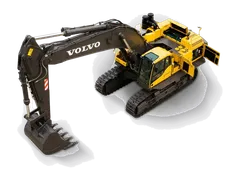
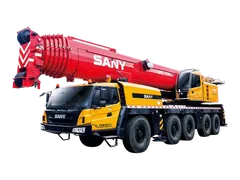
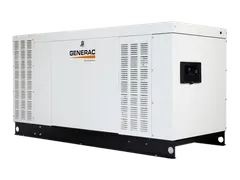
A simple rule of thumb: add a category only if you have a machine in it that you can really offer. Add a city only if you can get a machine to a site there. Browse your own category pages, such as excavators, cranes or generators, and check how a customer sees Riyadh or Jeddah listings.
How should you reply to a request or an enquiry?
A listing gets you noticed. A clear reply helps you get chosen.
A request arrives with the machine and quantity, the city and site on a map, the dates, and requirements such as a driver, insurance, TÜV inspection, Aramco approval or Urgent. Answer each requirement your machine can meet. If you cannot meet one, say so or decline; do not promise it.
Example of a clear reply: "Operator and fuel included. Delivery to site quoted separately. Available from the 15th. TÜV inspection certificate ready to show." The customer can compare this line with any other quote at once.
Quotes on Maedah are sealed, so suppliers do not see each other's prices. The customer sees them side by side: price, what is included, response time and rating. A quote that lists exactly what is included and arrives promptly can stand out even when it is not the lowest.
Badges such as Verified, Fast responder and On time come from actual performance, not from asking for them. The best you can do is reply clearly, keep your information true and keep your bookings. For what to ask and how to structure a quote, read responding to rental requests.
What if a customer contacts you from your listing? Then the customer has only your listing and your first message. Answer these first:
- Is the machine available on their dates?
- What does the rate include: operator, fuel, delivery?
- Can you deliver to their city and site?
- What do you need from them: site location, duration, whether they need an operator?
Put the agreed dates, inclusions and delivery in writing in your reply, so both sides can check them later.
Watch out. Do not promise what you cannot do to win a quote. A false "included" or "available" can cost you the booking and the customer's trust.
How do you keep availability honest?
A machine marked available but already committed produces enquiries you cannot serve. That costs you response time and trust, and the customer loses days. A complete, current listing is also easier for a customer to choose.
Build a small habit:
- When a machine is booked, block the booked dates straight away.
- When it returns and passes your pre-hire check, mark it open again.
- When something changes, such as a new certificate or a new operator, update the listing.
- Once a week, check each listing against the machine in your yard.
The full routine is in keeping your equipment availability up to date.
What is the ten-minute audit for every listing?
Run this on each listing. Checking one listing against these eight questions takes about ten minutes. Fixing what you find, such as retaking photos or collecting documents, takes longer, so write down each fix and do it that week.
| # | Thing | Question | If the answer is no |
|---|---|---|---|
| 1 | Coverage | Is the category right, and is each city one you can serve? | Correct the profile. |
| 2 | Proof | Do the photos show this exact machine? | Retake them. |
| 3 | Proof | Are make, model, year and capacity written? | Add them. |
| 4 | Proof | Is the machine's location clear? | Set the city and location. |
| 5 | Proof | Do you have the current inspection certificate and its expiry date, the registration and the insurance document to hand? | Gather them first. Ask the client or insurer which are required. |
| 6 | Terms | Does the listing say if operator, fuel and delivery are included? | State it. |
| 7 | Reply | Is there a named person who sees new requests and replies promptly? | Name one. |
| 8 | Availability | Is the availability true today? | Update it. |
Example: say you own a generator that is booked until the end of the month. The audit shows it is still marked available. You mark it unavailable until it returns. Customers now see a true listing, and you are not chasing enquiries you cannot serve.
How to do this on Maedah
Check the categories and cities in your supplier profile, then review each listing with the audit above. When a matched request arrives, answer it with a quote that states what is included, what you can meet and when the machine is available.
To see the other side, browse your own category as a guest and note what you would want to know before calling. Then look at what the customer's request form asks for, so your quotes answer the same points.
Maedah does not process payments. You and the customer agree price and payment between yourselves.