This guide is for suppliers whose machines move between jobs, the workshop and the yard. If enquiries keep arriving for machines that are already committed or under repair, the cause is often a listing that is out of date. Use the status table, the update rules and the tracker columns below to build an equipment availability calendar for rental that you can run in a spreadsheet.
What does a wrong availability status cost you?
A listing that shows a machine as available when it is not creates enquiries you cannot serve. The customer asks, waits, and then hears no. That wastes their time and yours.
Customers also see signals such as your response time and rating. A late reply, or a "no" after a wait, may make them skip your listing next time.
If you also want more enquiries, see how to get rental enquiries as an equipment owner; accurate availability makes them worth having.
What states can a machine really be in?
Most of the confusion comes from using one word, "available", for several different situations. A machine is really in one of a few states. Use these five.
| Status | What it means | What customers should be told | Change it when |
|---|---|---|---|
| Open now | No booking, no service, ready to go | Available | A booking is made, or service is due |
| Committed | Promised to an accepted booking that has not started | Not available for those dates | The hire starts (it becomes "on hire") |
| On hire, due back on a date | Working for a customer, with a known return date | Not available now; offer the return date only if it is confirmed | The customer extends, or returns early |
| In the workshop | Maintenance or repair, with an expected finish | Not available until it is released | The workshop releases it and it passes your pre-hire check |
| Being moved | In transit between sites or yards | Not available until it arrives; give the date only if it is confirmed | It arrives and is checked |
The test is simple. The status on the listing must be one a customer can rely on. If you would not be comfortable sending a machine tomorrow, it is not "open now".
A machine can be on hire now and committed for later. Record the current status and block the later dates separately.
Note. "Committed" and "on hire" are different. A committed machine has not left yet, so it can still look open. Block those dates the day the booking is made.
When must you update a listing?
Update on events, not on a schedule. These are the events that change a status:
- A quote is accepted and a booking is created.
- A hire is extended.
- A machine returns damaged or needs service.
- A machine is sold.
- Its inspection certificate expires.
Do the update at once, before the next enquiry arrives.
The inspection certificate is easy to forget because nothing visibly happens on the day. Keep the expiry date next to the machine in your calendar and block the machine before that date, not after. Do not send a machine out with an expired certificate where the project requires a valid one. Which certificate is needed, and how often, differs by machine, project, site owner and insurer. Confirm before mobilising.
How do you plan returns, extensions and workshop time without gaps?
Extensions are the most common cause of wrong availability. A customer keeps the machine a few days longer, and a booking you already promised sits on top of it.
For example, an excavator is due back on the 10th and you promise it to a new customer from the 11th. The first customer extends to the 14th. Now one of the two customers has no machine.
The fix is a habit. In the last third of every hire, ask the customer whether they will extend, and write down the answer. For example, on a 30-day hire, ask around day 20. For hires of a few days, ask at the start and again the day before. If the answer is "maybe", treat the machine as still on hire until you hear otherwise.
Before you agree to an extension, check the next booking on that machine. If it is committed, tell the customer now that you cannot extend, or offer another machine of the same type. Do not promise the next customer a start date until the extension answer is in, or say the date depends on it. For the terms around extensions and early return, see rental deposits, extensions and early return.
Servicing should go in the gaps between hires. Mark the machine unavailable for those dates in advance, so you do not discover the clash when a booking arrives. A repaired machine is "open now" only after the workshop has released it and it has passed your own pre-hire check.
Breakdowns cannot be planned, but the status can still change fast. What to do when a rented machine breaks down covers that first hour.
Tip. Plan the return date as a range, not a day. Add the time to inspect, clean and fuel the machine, and the transport time to the next site, before you call it ready.
What should you tell a customer when the machine is busy but will be ready soon?
Do not just say no: a busy machine that will be ready soon is still a possible job. The wider routine for answering is in how to respond to an equipment rental request.
Reply with a clear start date for the customer's period. For example: "This machine is on another job until the 12th. We can start your hire on the 13th." A customer with flexible dates can still choose you. One with fixed dates can look elsewhere at once.
Be honest about how firm the date is:
- If the return is confirmed, say so and give the date.
- If it depends on an extension answer, say it is not yet confirmed and when you will know.
- If the machine is in the workshop, give the expected release date only if you have it from the workshop.
Never give a date you are guessing. A wrong "yes" is worse than a clear "not yet".
What is a short weekly routine for your availability calendar?
Once a week, at the same time, go through every machine. A spreadsheet, notebook or phone calendar all work; doing it weekly matters more than the tool.
- List every machine and its current status from the table above.
- For each hire, check the return date and whether the customer has confirmed or extended.
- Check workshop jobs: are they finished, late or still waiting for parts?
- Look two to four weeks ahead. Which machines are open, and which gaps could take a service?
- Check inspection certificate dates for the next month.
- Compare the calendar with the bookings you hold, then update every listing to match.
Keep the calendar as one row per machine. These columns are enough:
| Machine | Status | Current hire ends | Next booking starts | Service due | Certificate expires |
|---|---|---|---|---|---|
| Excavator A | On hire | 10 Nov | 12 Nov | 20 Nov | 3 Jan |
The row is an example. Fill it from your own records, and block service and certificate dates before they arrive.
Seasonal peaks and project start dates make several customers ask for the same dates, so the more accurate the calendar, the fewer promises you break. Review again just before a busy period.
Watch out. If a listing and your booking and hire records disagree, check the records first, then fix the listing at once. Do not wait for a customer to find the difference.
How to do this on Maedah
On Maedah, keep a listing open only while the machine is really open for hire. Pause the listing when a machine is on a long job or in the workshop, and use Confirm availability to show customers that a machine is still free to hire. Accepting a quote creates a booking you can follow: when a booking starts, ends or is extended, update the listing to match, and give the return date in your quote or in the chat.
When a matching equipment request reaches you, quote only the dates you can really serve. If a machine is ready later, quote the start date and say whether it is confirmed. Keep your own calendar as the working record for returns and workshop dates, and make the listing status match it.
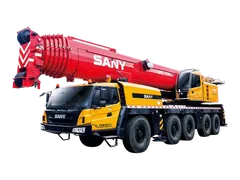
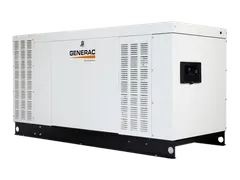
The same five statuses work for excavators, cranes and generators.